Mole calculations are one of the most common reasons students lose marks in chemistry exams. The formulas are simple, but the working has to be precise: wrong units, a missing step, or an inverted triangle and the marks are gone. That is exactly why we built ChemCalc, now available free on the App Store.

Why We Built ChemCalc
Every chemistry student has been there. You know the formula, you can see the triangle, but somehow the working never comes out right. Maybe you divided when you should have multiplied. Maybe you forgot to convert cm3 to dm3. Maybe you just ran out of time.
Most calculator apps give you the answer and nothing else. That is useless in an exam, because the marks are in the working, not the answer. ChemCalc was built around one idea: show every step, the way an examiner expects to see it.
It covers the three core mole calculations that appear in every GCSE and IB Chemistry exam:
- Mass and Mr: n = mass / Mr
- Concentration: c = n / V
- Gas Volume: V = n x 24
Plus two Pro tools for more advanced stoichiometry:
- Reacting Masses: calculate masses from balanced equations, including limiting reactant problems
- Equation Balancer: type in any equation and get it balanced automatically
How It Works
Every calculator in ChemCalc follows the same three-step pattern:
Choose what to solve for
Tap the variable you need. The formula triangle highlights the correct relationship instantly.
Enter your values
Type in the numbers from the question. Common Mr values are pre-loaded so you can tap H2O (18), CO2 (44), or NaCl (58.5) instead of looking them up.
Read the working
ChemCalc generates the full step-by-step method: write the formula, substitute, calculate. Exactly the way you would write it in an exam.

Exam Tip: In a GCSE or IB exam, you earn method marks for writing the formula and substituting your values, even if the final answer is wrong. ChemCalc trains you to write the working the right way every time.
Five Calculators in One App
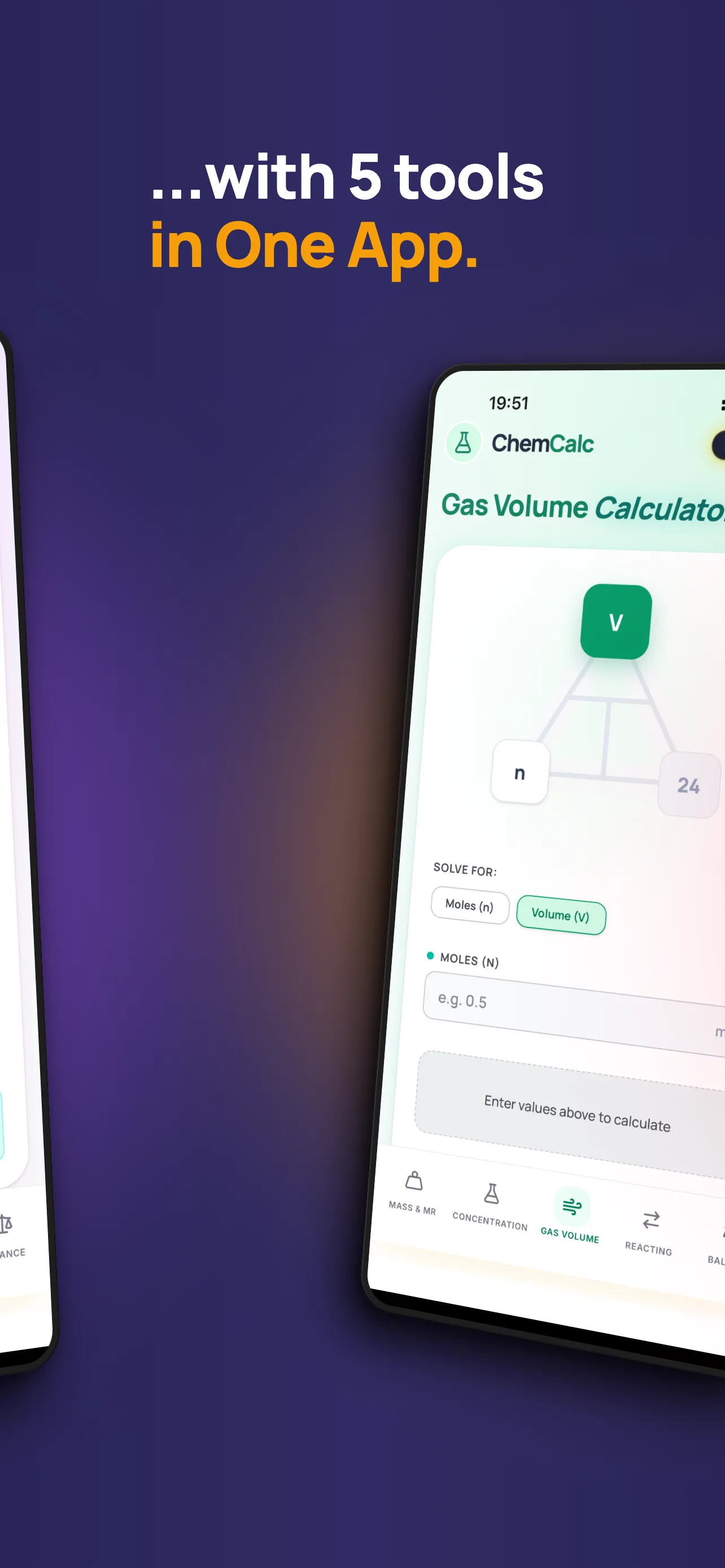
ChemCalc is not just one calculator. It covers every type of mole calculation you will face at GCSE and IB level, all accessible from the tab bar at the bottom of the screen.
| Calculator | What It Solves | Tier |
|---|---|---|
| Mass and Mr | Moles from mass and relative formula mass | Free |
| Concentration | Concentration, moles, or volume from solution data | Free |
| Gas Volume | Volume or moles using the molar gas volume (24 dm3) | Free |
| Reacting Masses | Masses from balanced equations, with limiting reactant support | Pro |
| Equation Balancer | Automatically balances any chemical equation | Pro |
Interactive Formula Triangles
If you have ever struggled to remember which way round the formula goes, ChemCalc has you covered. Each calculator displays an interactive formula triangle that updates in real time as you select the variable to solve for.
The three free calculators each have their own triangle:
- Mass and Mr: mass / n / Mr
- Concentration: c / n / V
- Gas Volume: V / n / 24
Tap any corner of the triangle to change what you are solving for. The input fields update automatically. No more second-guessing whether to multiply or divide.
Pro Tools: Reacting Masses and Equation Balancer
The three free calculators cover the core mole formulas. For students tackling more complex stoichiometry, ChemCalc Pro unlocks two additional tools.
Reacting Masses
Type in a balanced equation and the mass of one reactant or product. ChemCalc calculates the mass of any other substance in the equation, showing every step: moles of the known substance, the mole ratio from the equation, moles of the target substance, and the final mass.
It also supports limiting reactant problems, where you provide the masses of two reactants and ChemCalc identifies which one runs out first.

Equation Balancer
Type any unbalanced chemical equation and ChemCalc balances it for you instantly. This is especially useful when you need balanced coefficients for a reacting masses calculation, or when you want to check your own working.

Free Download. Pro Upgrade Available.
ChemCalc is free for every student. The three core calculators, formula triangles, step-by-step working, exam tips, and common Mr values are all included at no cost.
ChemCalc Pro is a one-time in-app purchase that unlocks the Reacting Masses calculator and the Equation Balancer. There are no subscriptions.
| Feature | Free | Pro |
|---|---|---|
| Mass and Mr Calculator | Yes | Yes |
| Concentration Calculator | Yes | Yes |
| Gas Volume Calculator | Yes | Yes |
| Interactive Formula Triangles | Yes | Yes |
| Step-by-Step Working | Yes | Yes |
| Exam Tips | Yes | Yes |
| Common Mr Quick-Select | Yes | Yes |
| Reacting Masses (Basic + Limiting) | - | Yes |
| Equation Balancer | - | Yes |
Built for GCSE and IB Students
ChemCalc was designed specifically for the calculations that appear in AQA GCSE Chemistry (Topic 3: Quantitative Chemistry) and IB Chemistry (Structure 1.5, Reactivity 2.1). Every exam tip and every unit conversion reminder is tailored to these specifications.
Whether you are revising moles for the first time or practising reacting masses the night before the exam, ChemCalc gives you confidence that your working is correct.
Part of the Chemistry Made Easy ecosystem: ChemCalc links directly to ChemEasy for structured revision and ChemPlan IB for study scheduling. Three apps, one mission: make chemistry easier.
Get ChemCalc Today
ChemCalc is available now on the App Store for iPhone and iPad.
Free for iPhone and iPad. Pro upgrade available in-app.
Mole calculations do not have to be the thing that costs you marks. With ChemCalc, every step is laid out clearly, every formula is at your fingertips, and every exam tip is exactly where you need it.
Moles, made simple.